How to Check your name on Income Tax Portal

If your name in the Aadhaar database and the Income Tax portal and PAN are different, it could cause you problems in completing your KYC. This is because when verifying your PAN and Aadhaar, the KYC service like Digio will also verify your name across all the databases.
For this you need to look up your details on the Income Tax portal, and then check whether you need to make any changes.
Here are the steps to check your name on Income Tax Portal.
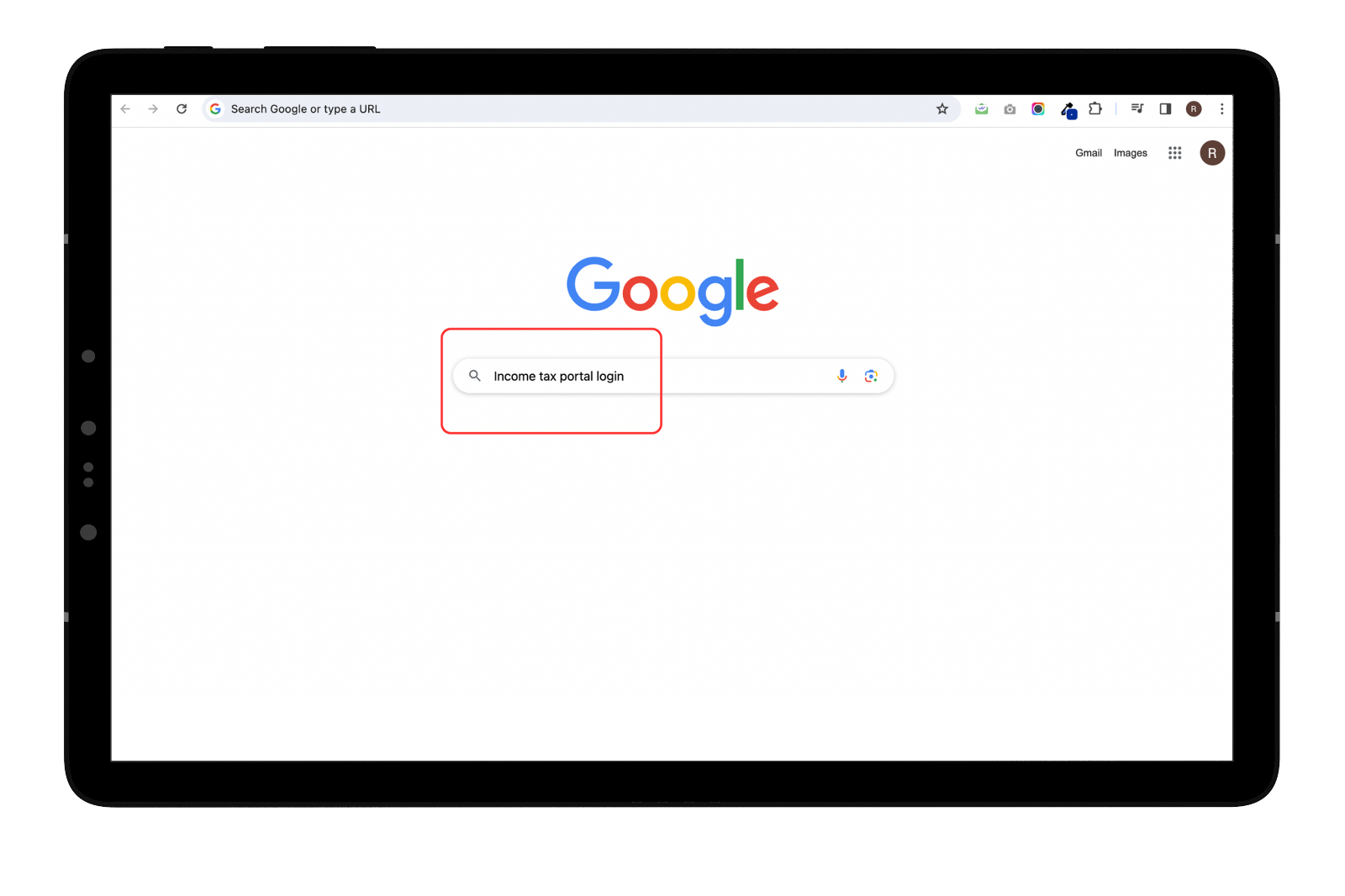
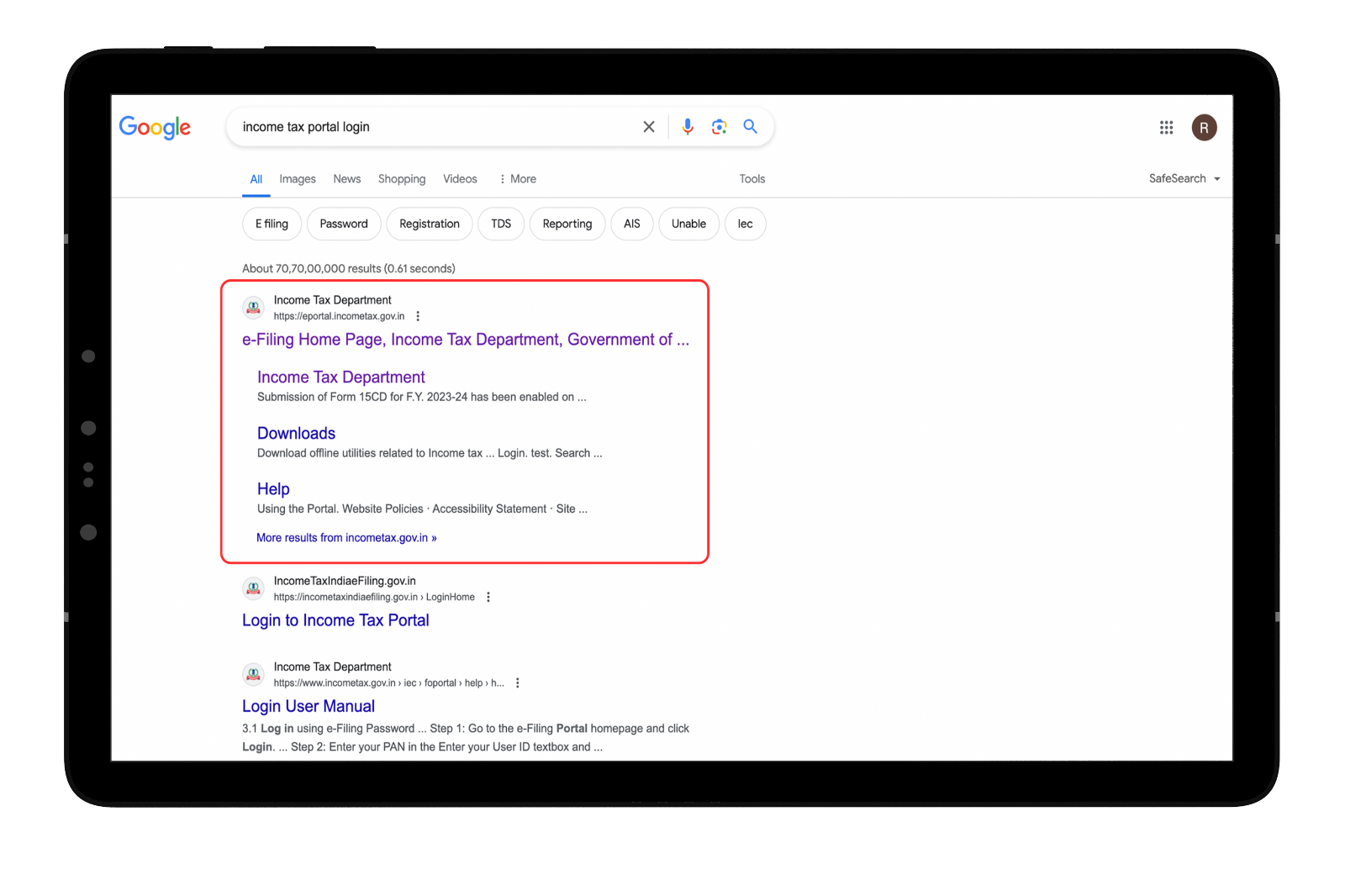
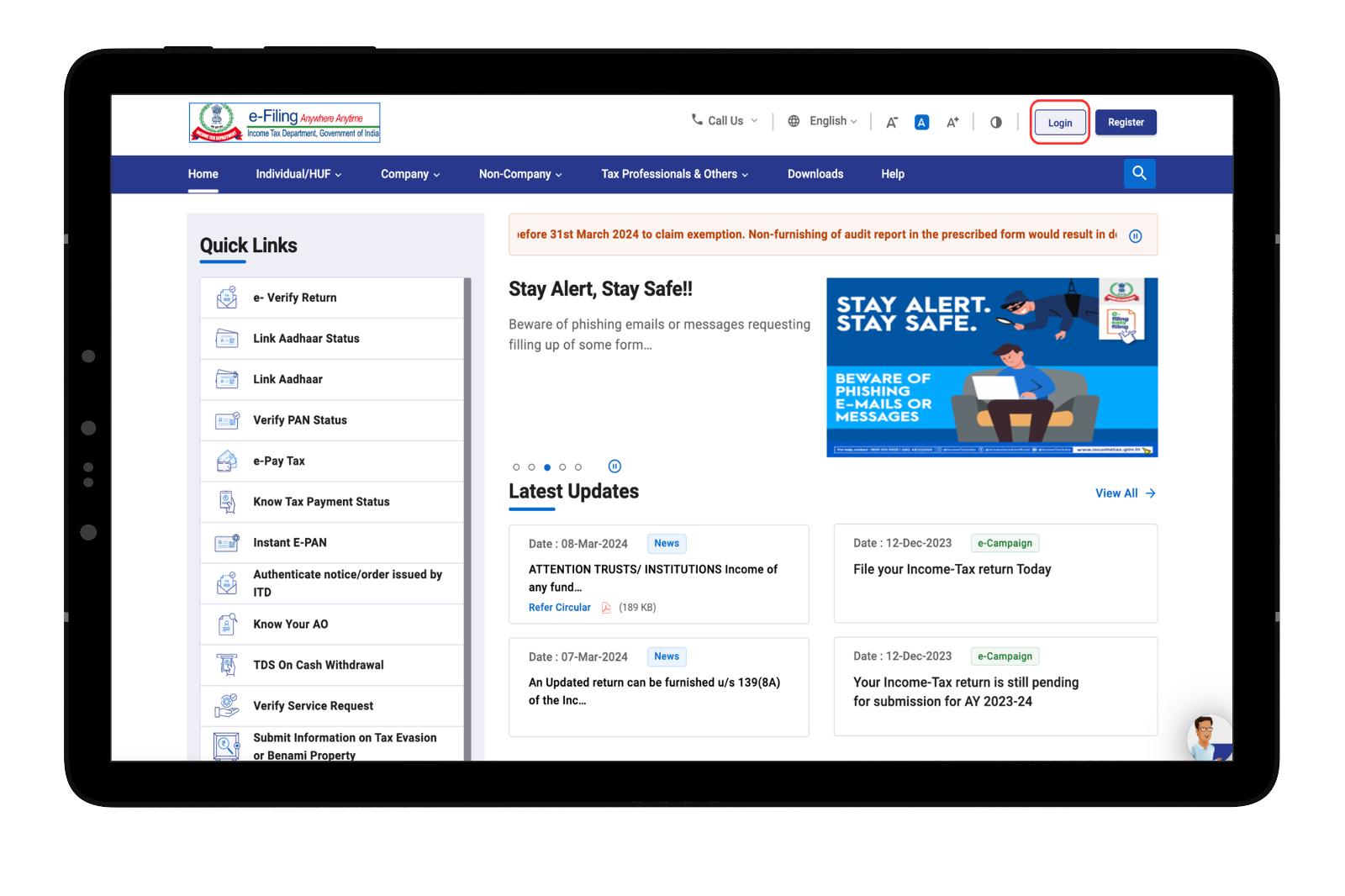
Go to the e-Filing Portal homepage and click Login.
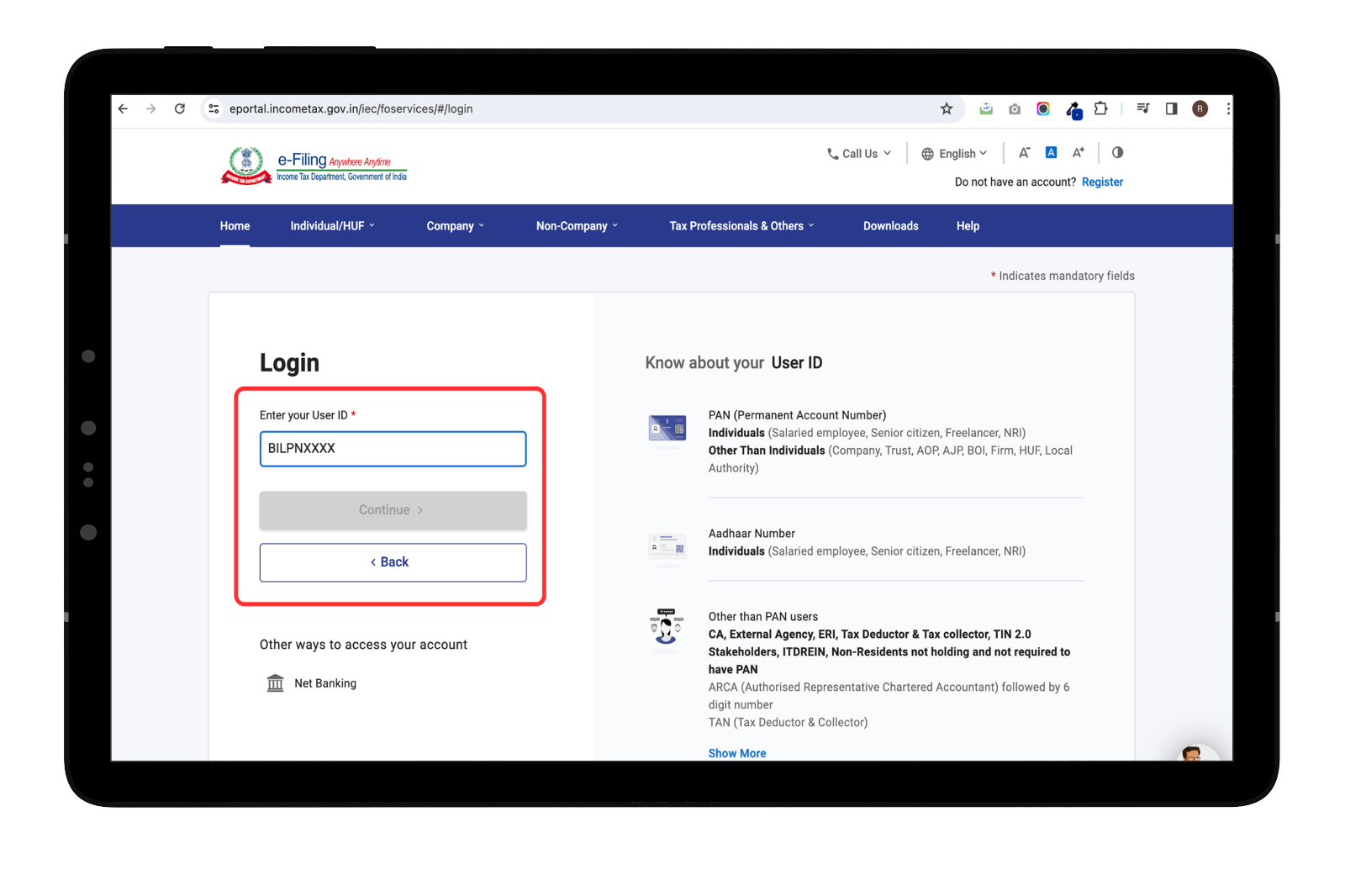
 Enter your PAN in the Enter your User ID textbox and click Continue.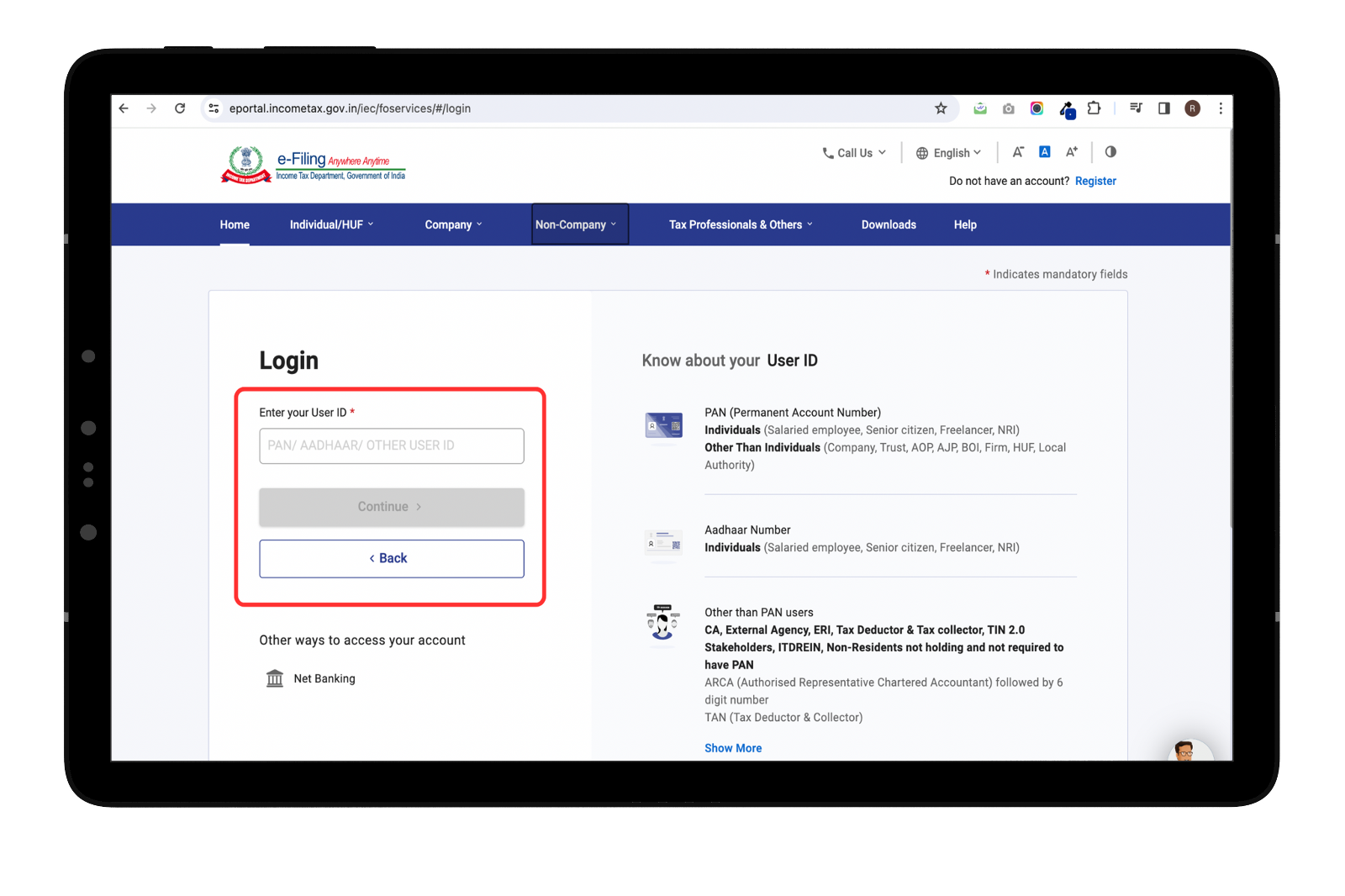
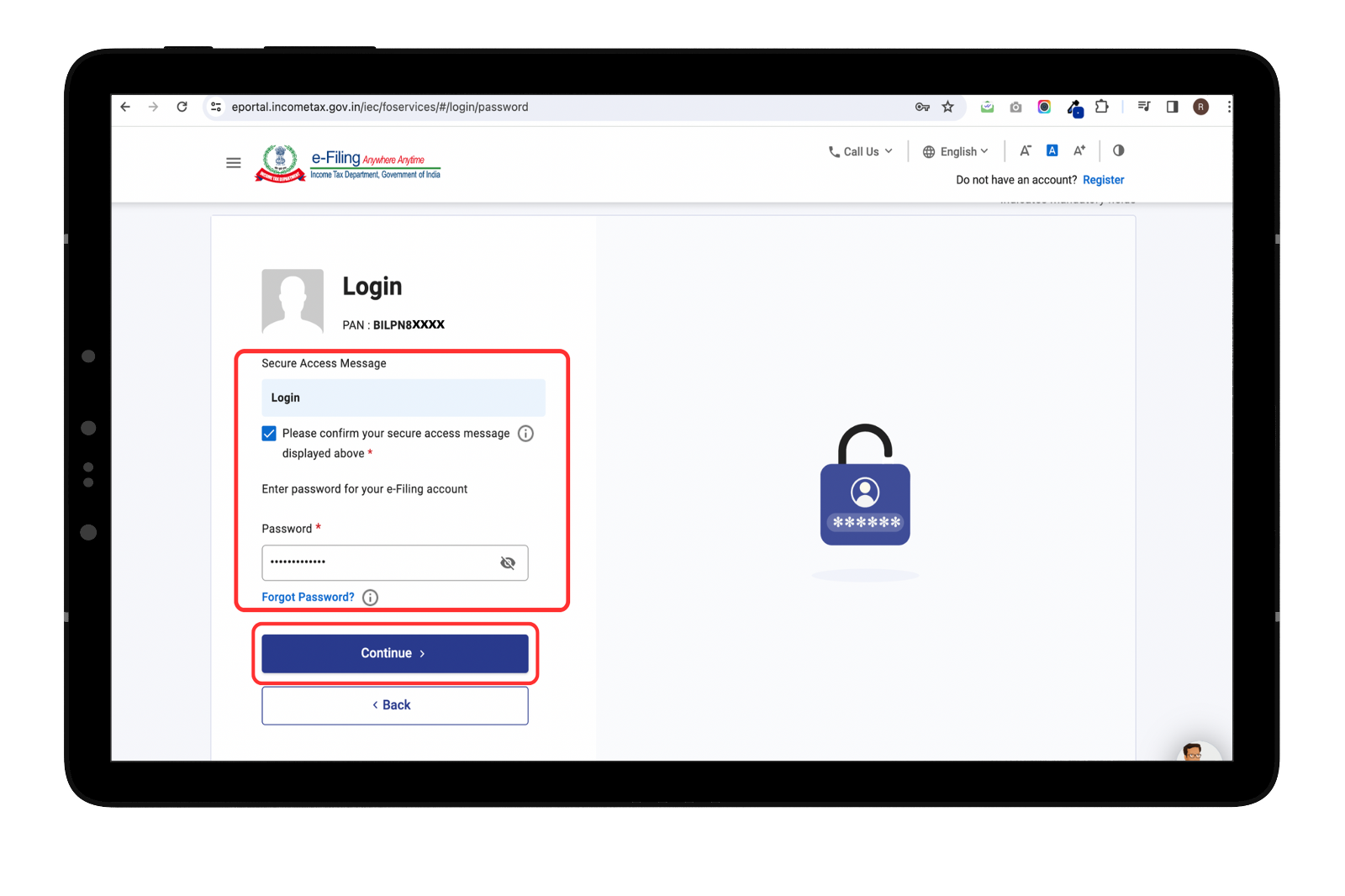
Confirm your Secure Access Message. Enter your password and click Continue.
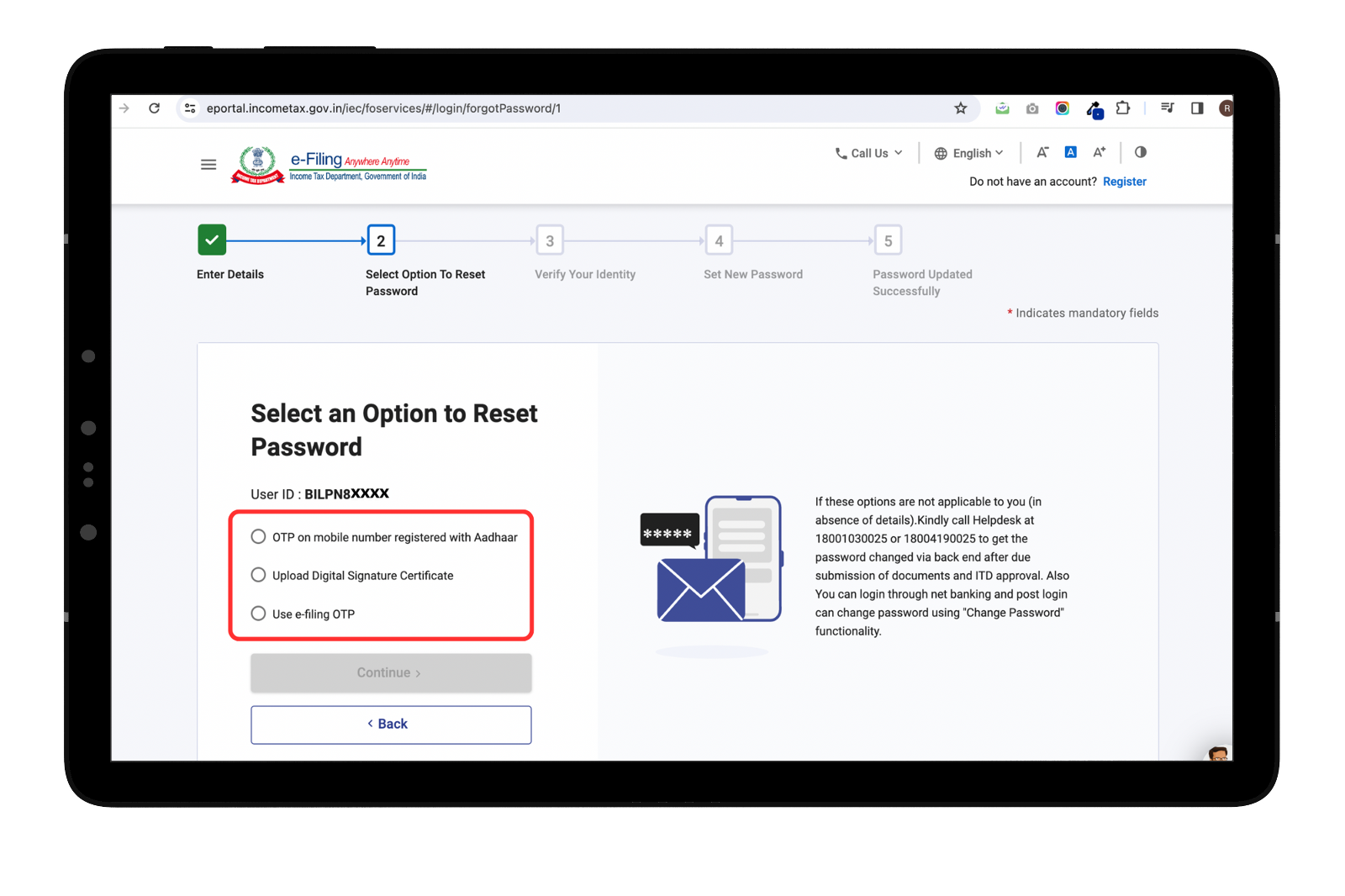
If you have forgotten your password, then you can proceed with the option on the website–
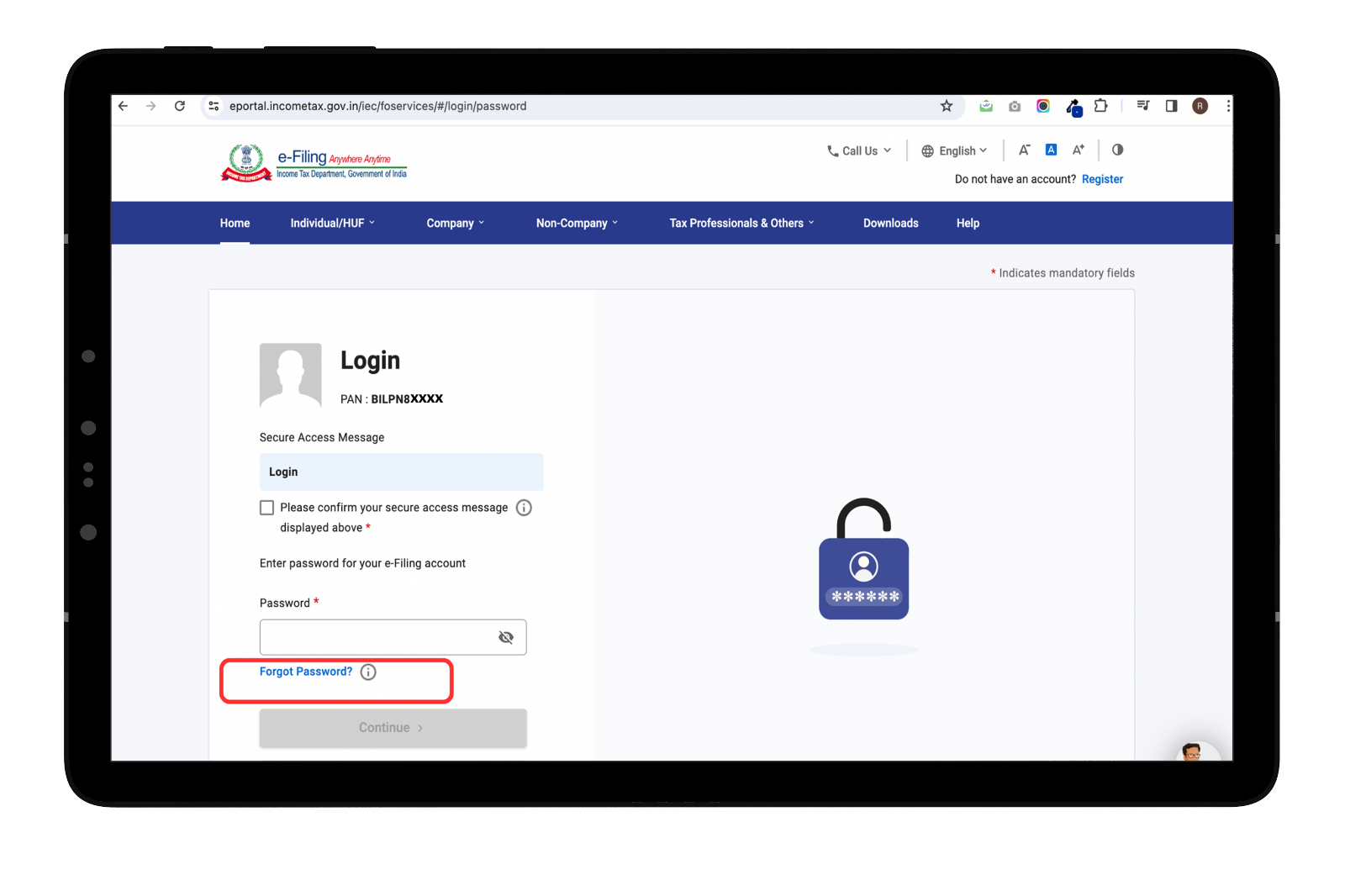
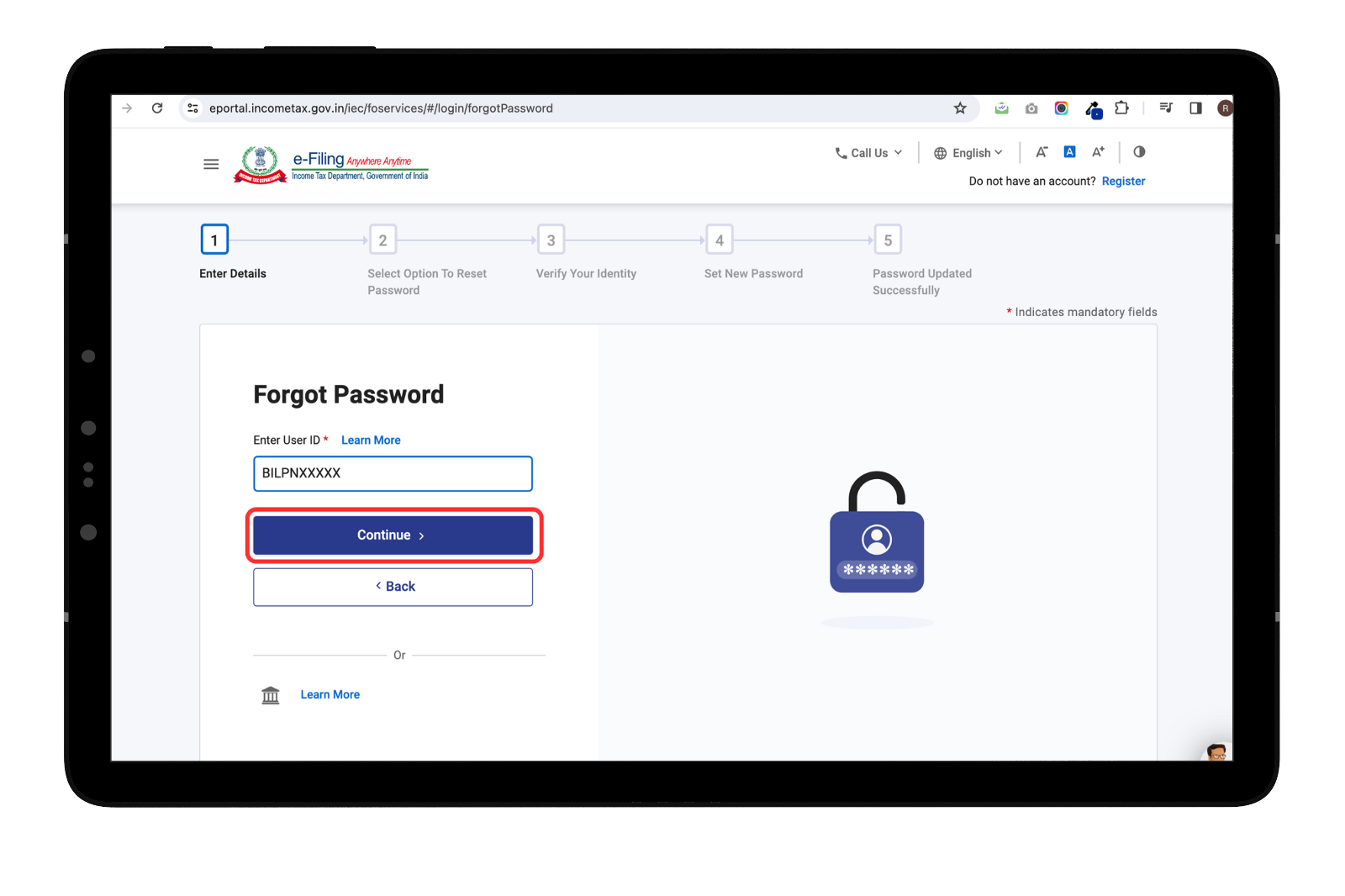
Click on ‘Forgot Password’ and click continue
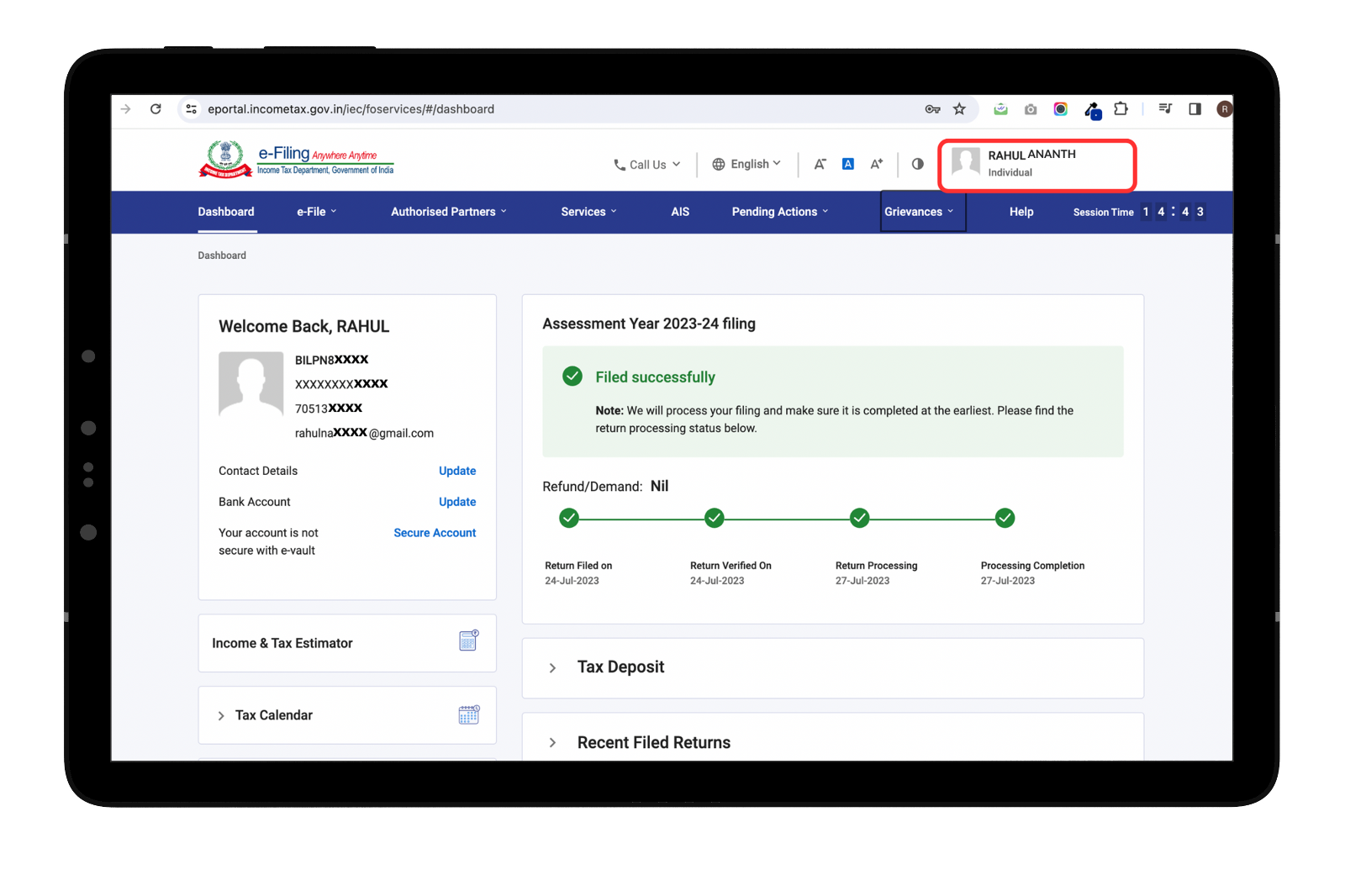
On successful validation, the e-Filing Dashboard is displayed.
Here you can find your name on portal
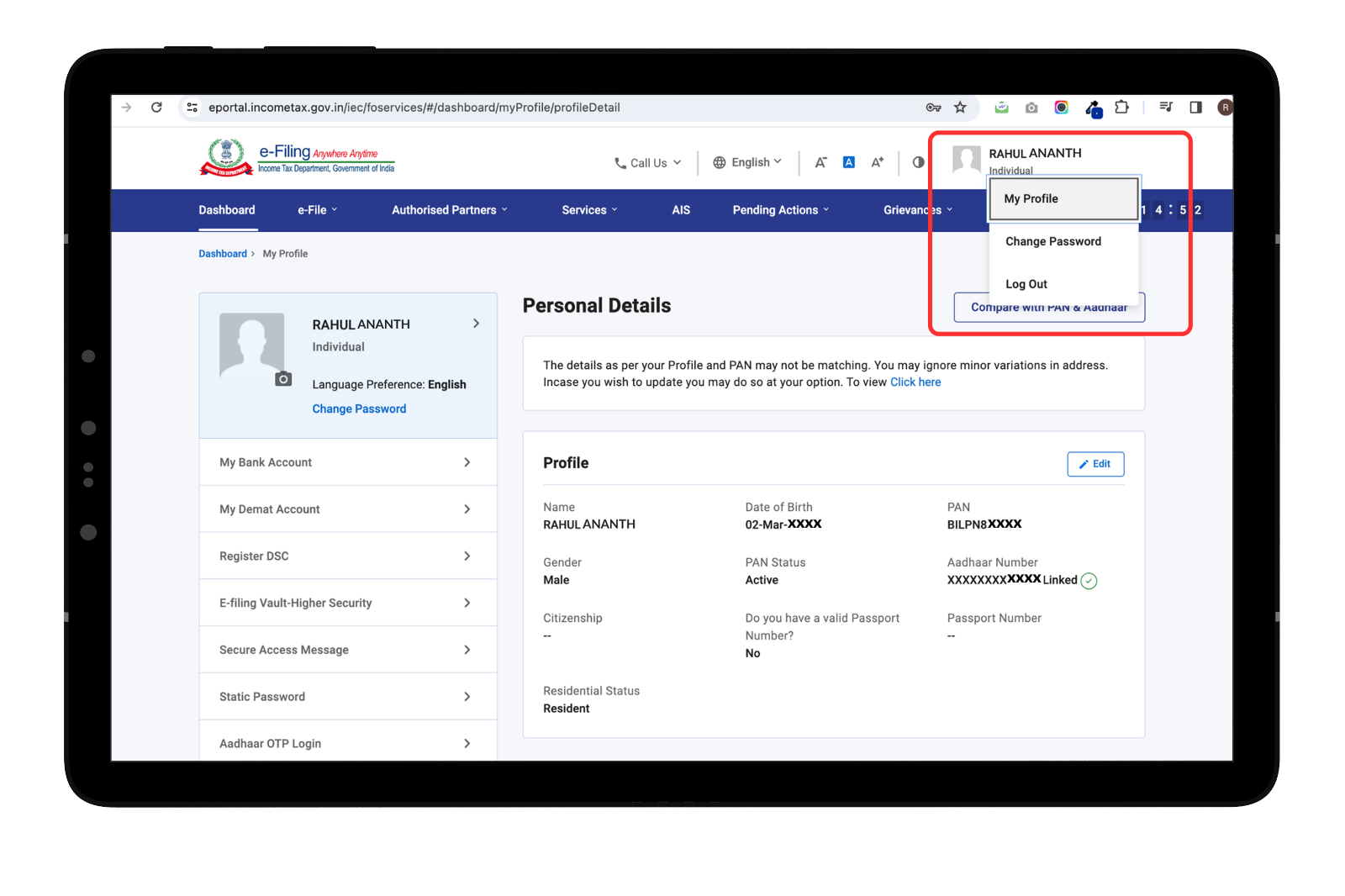
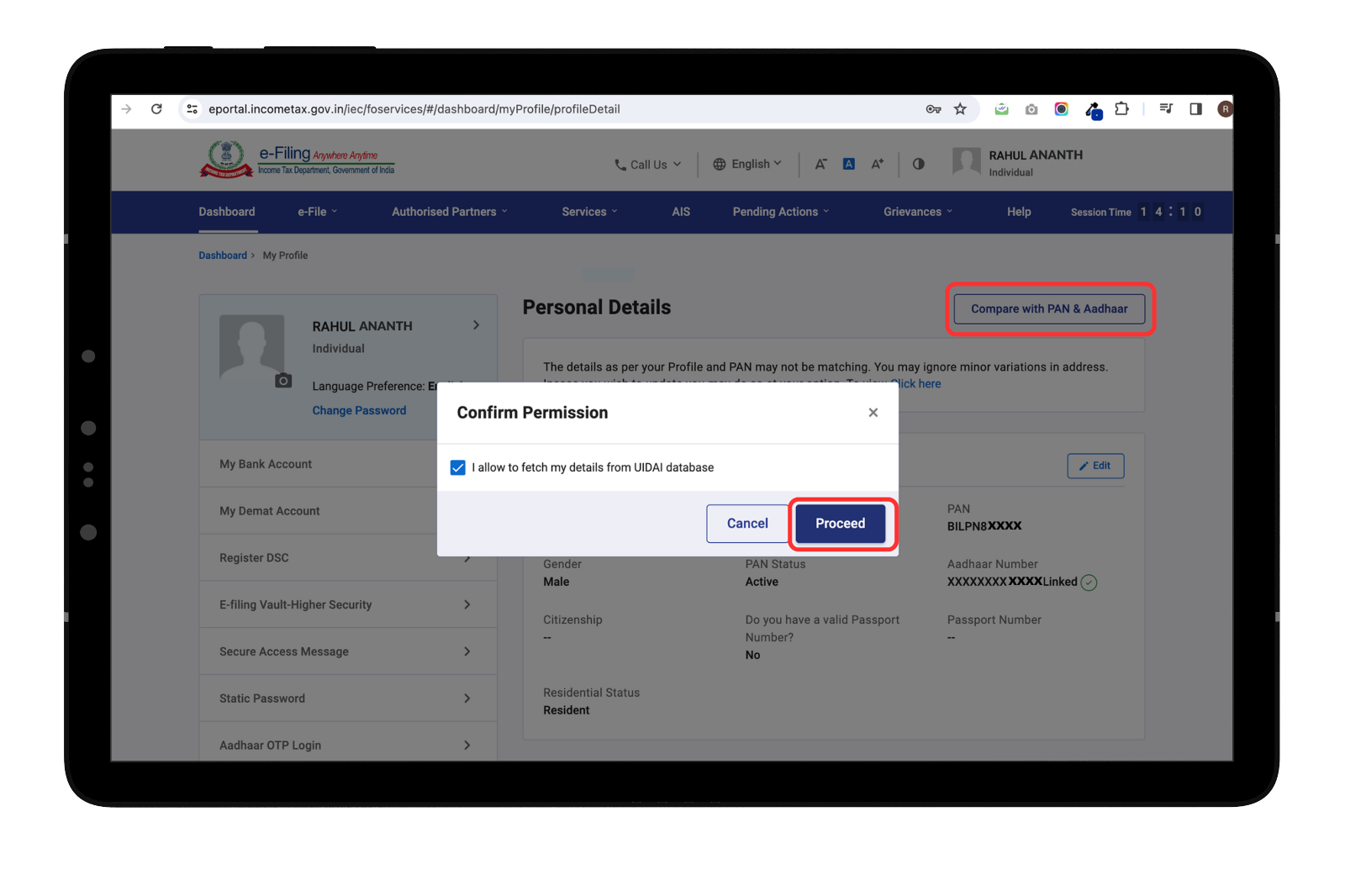
To make changes in your name, click ‘Compare with PAN & Aadhaar’
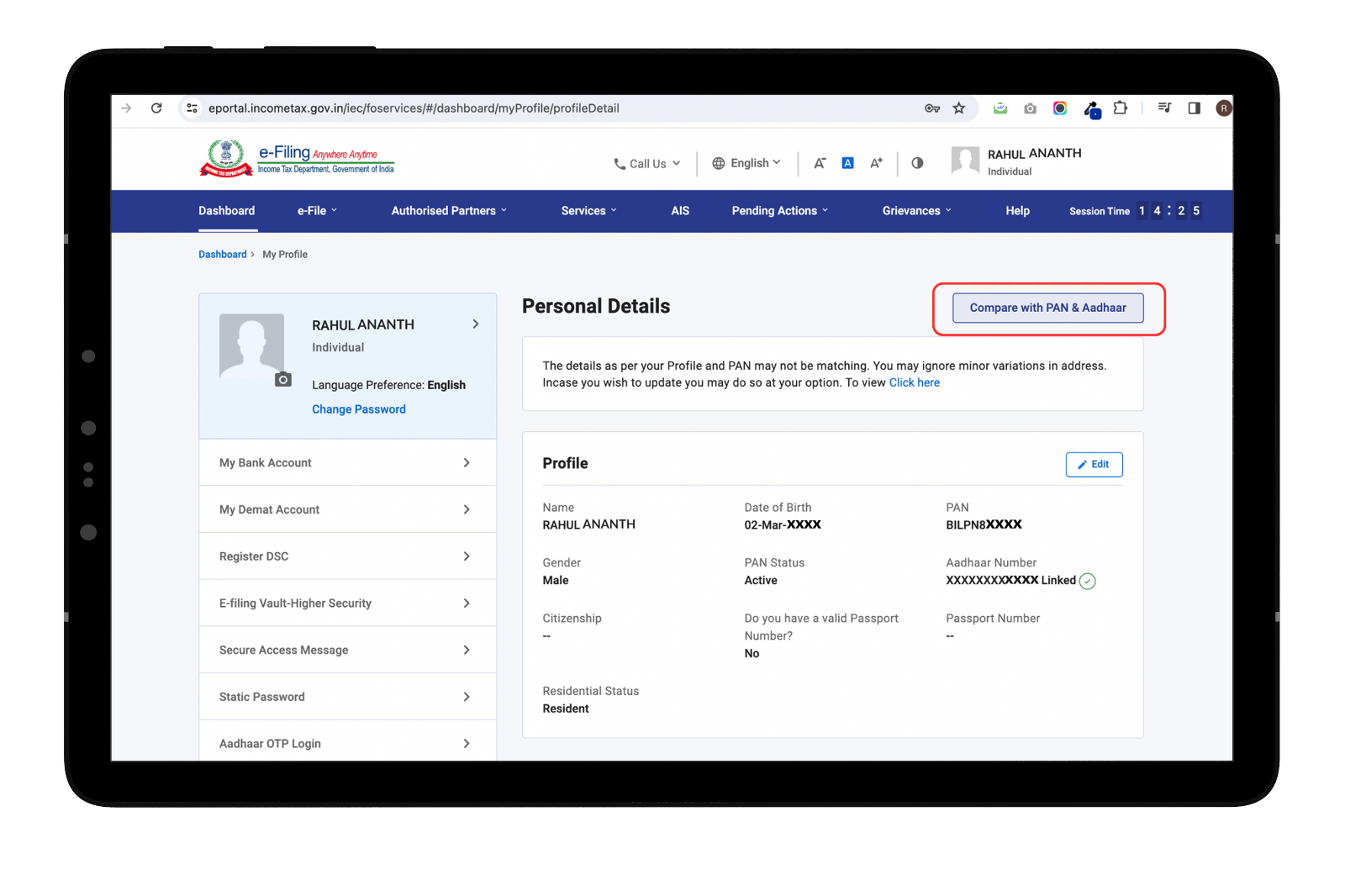
You will then need to share permission to use the UIDAI Aadhaar database and click on the ‘Proceed’ button.
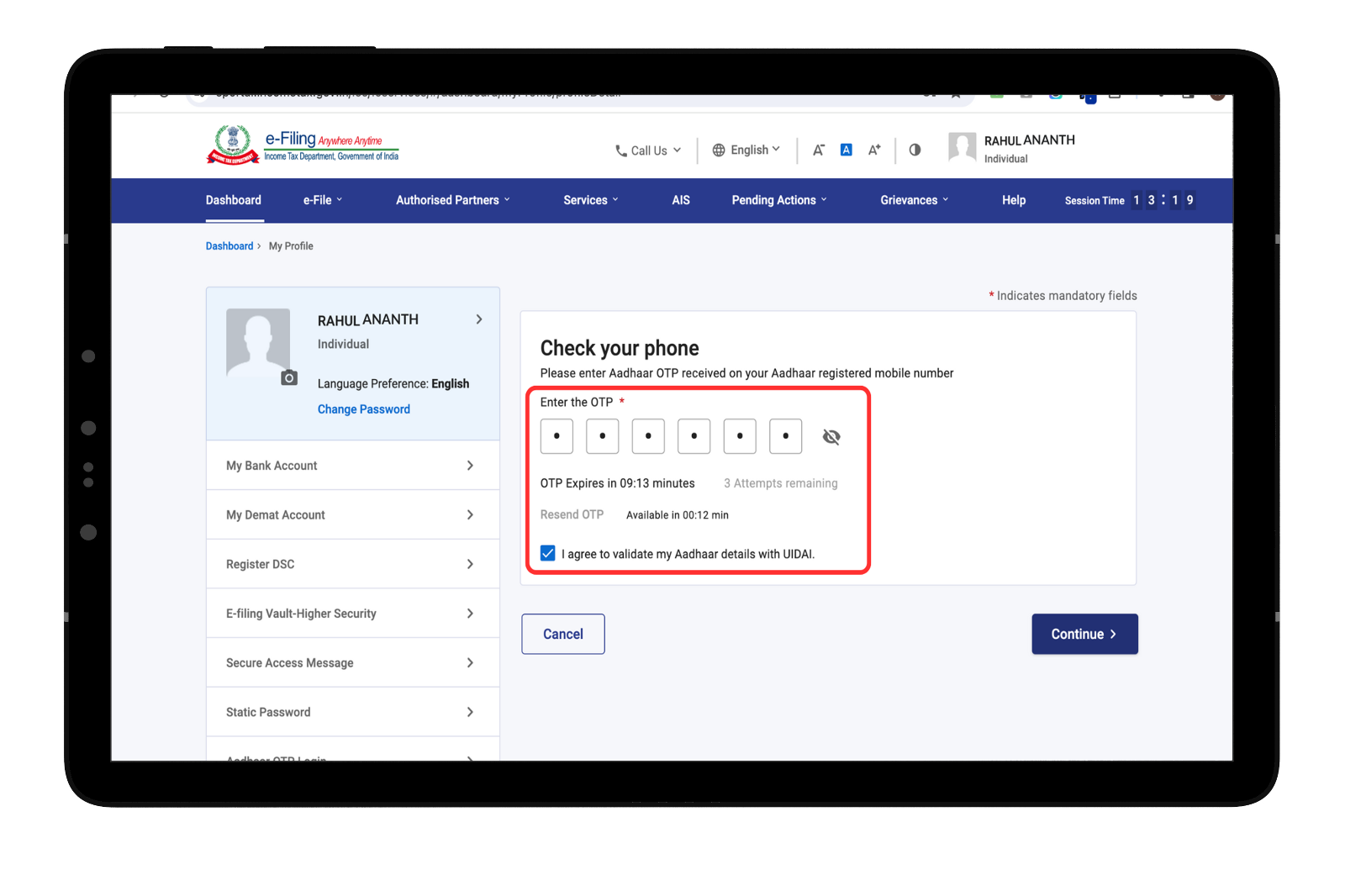
Enter the OTP, that is sent to you on your Aadhaar registered mobile number.
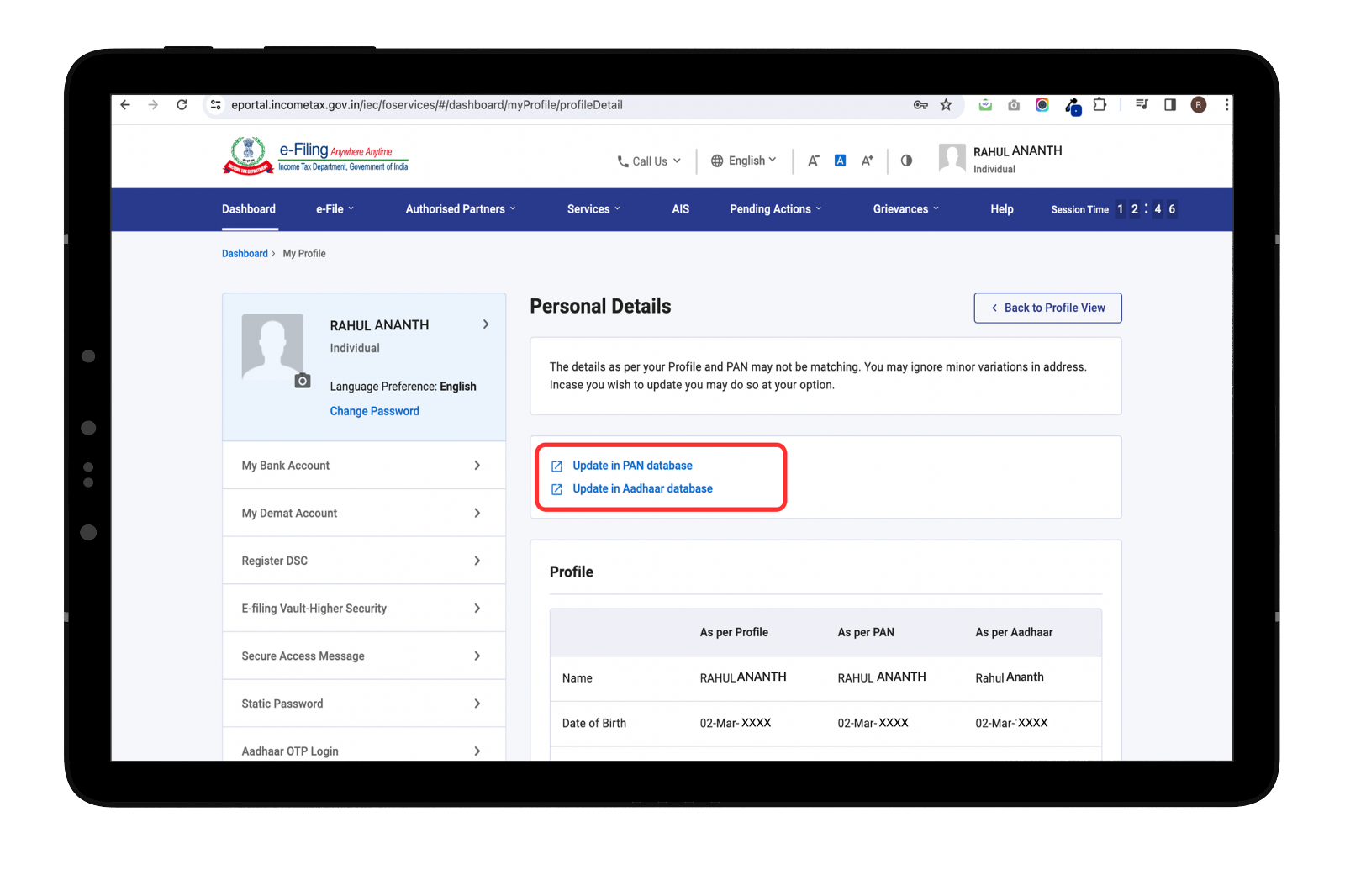
Compare your details on Income Tax portal, PAN Card, and Aadhaar and click ‘Update in PAN database’ to make changes in your PAN. If your name is wrong even in your Aadhaar, then correct that first, and then proceed to change your name in PAN)
Change or Correct your name in PAN Card
Click on ‘Change/Correction in PAN Card’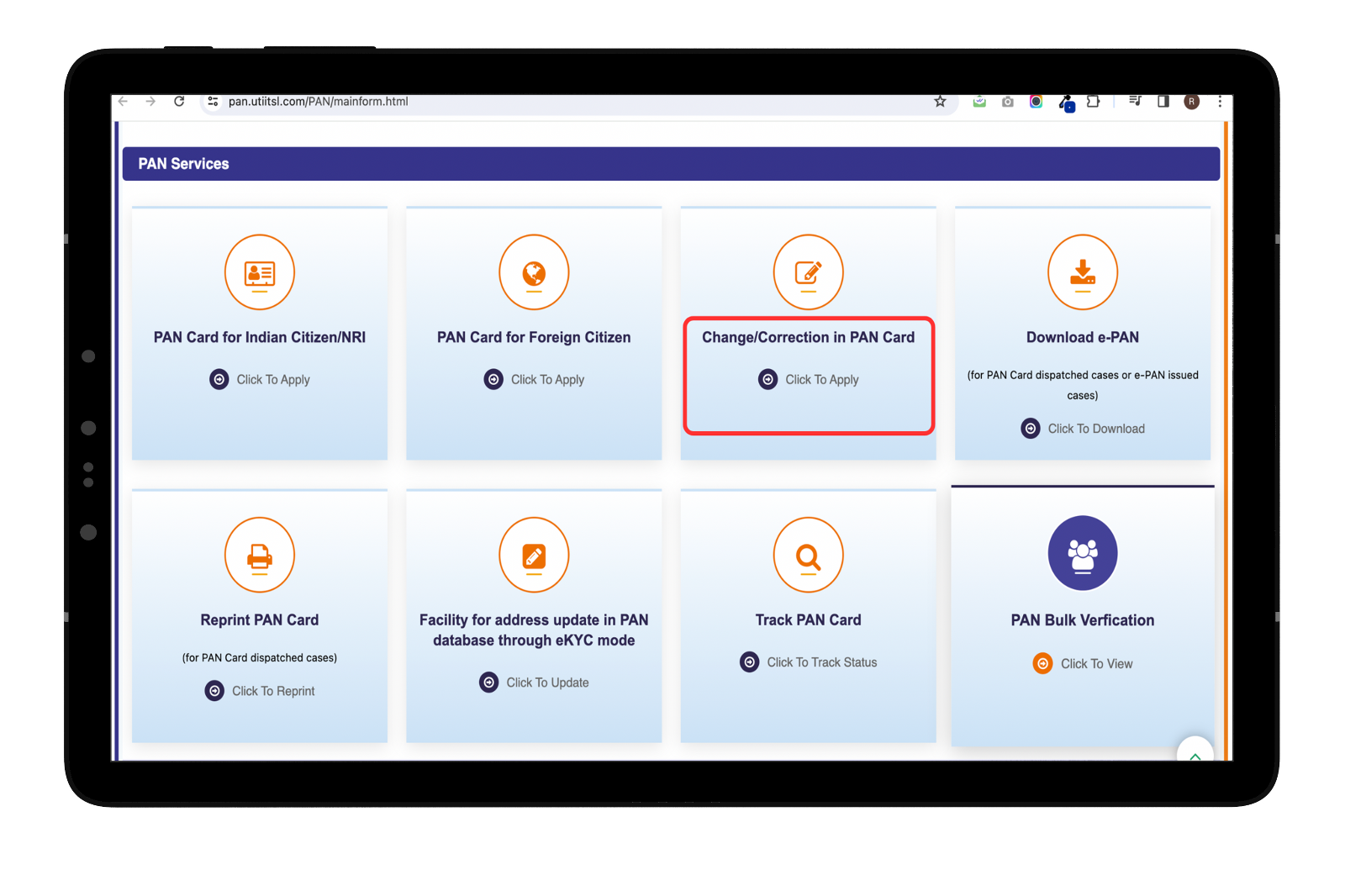
Scroll down and Click on ‘Apply for change/correction in PAN Card details’
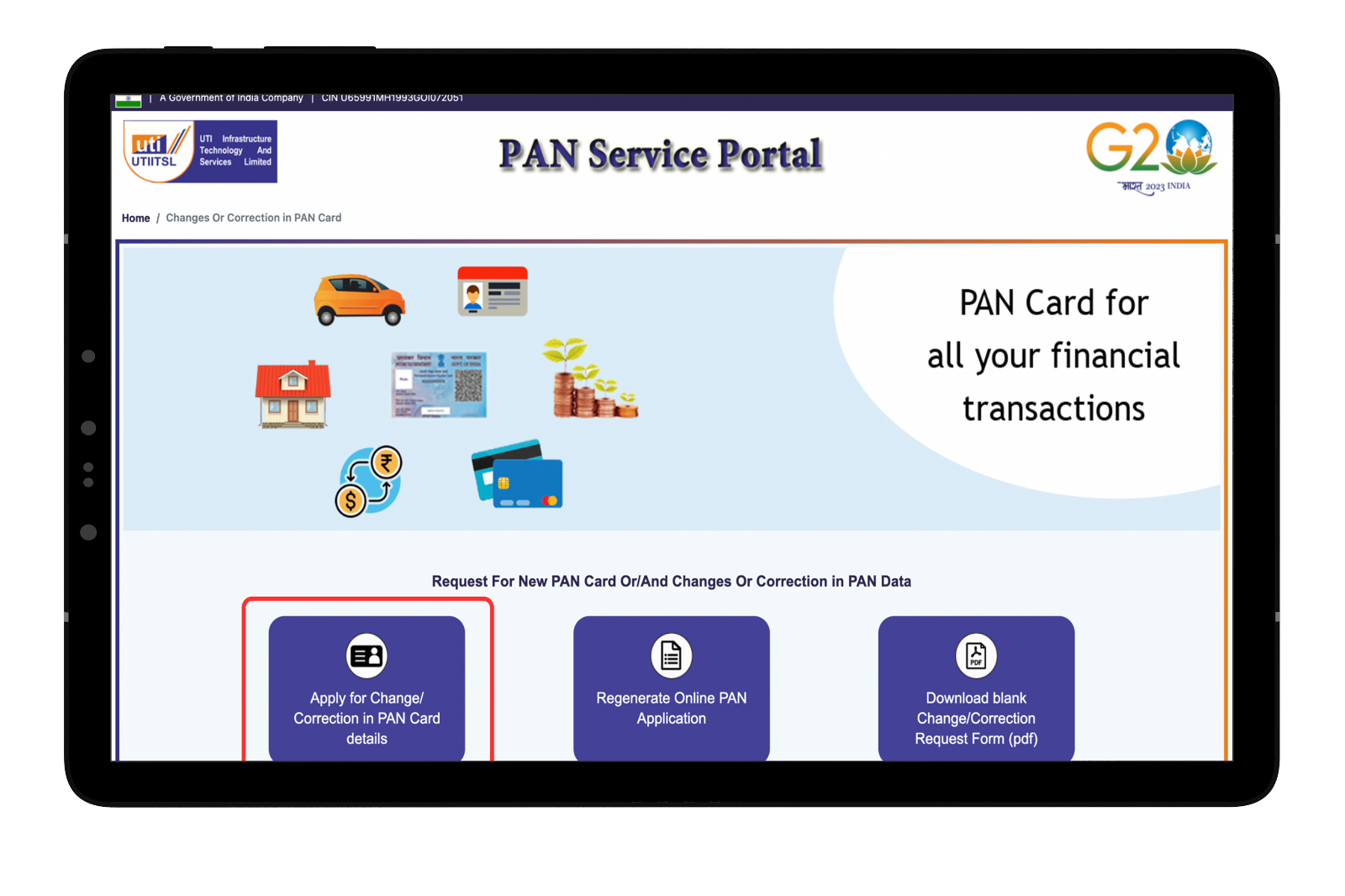
Select Digital (Paperless) option to change/correct name in PAN
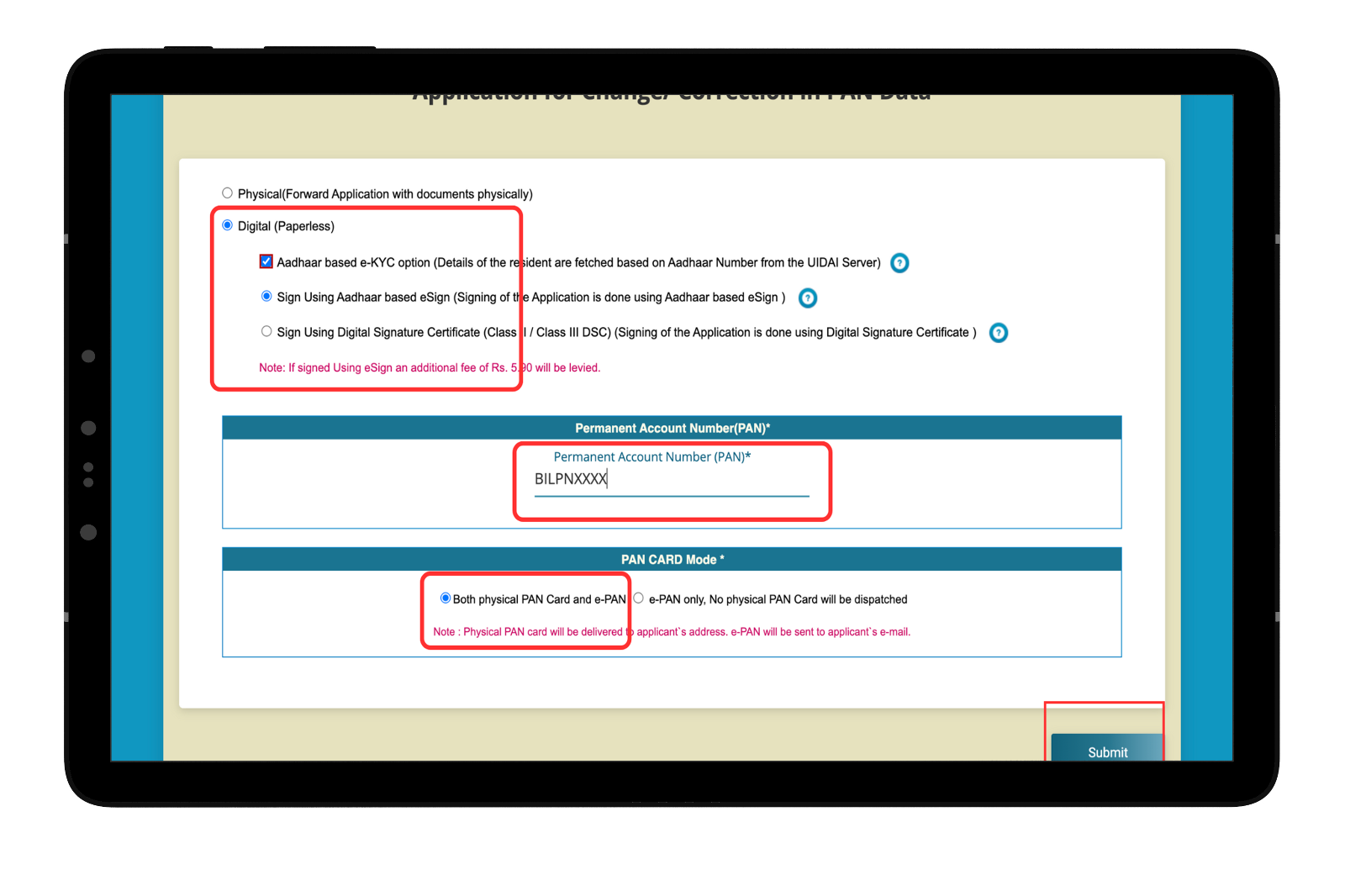
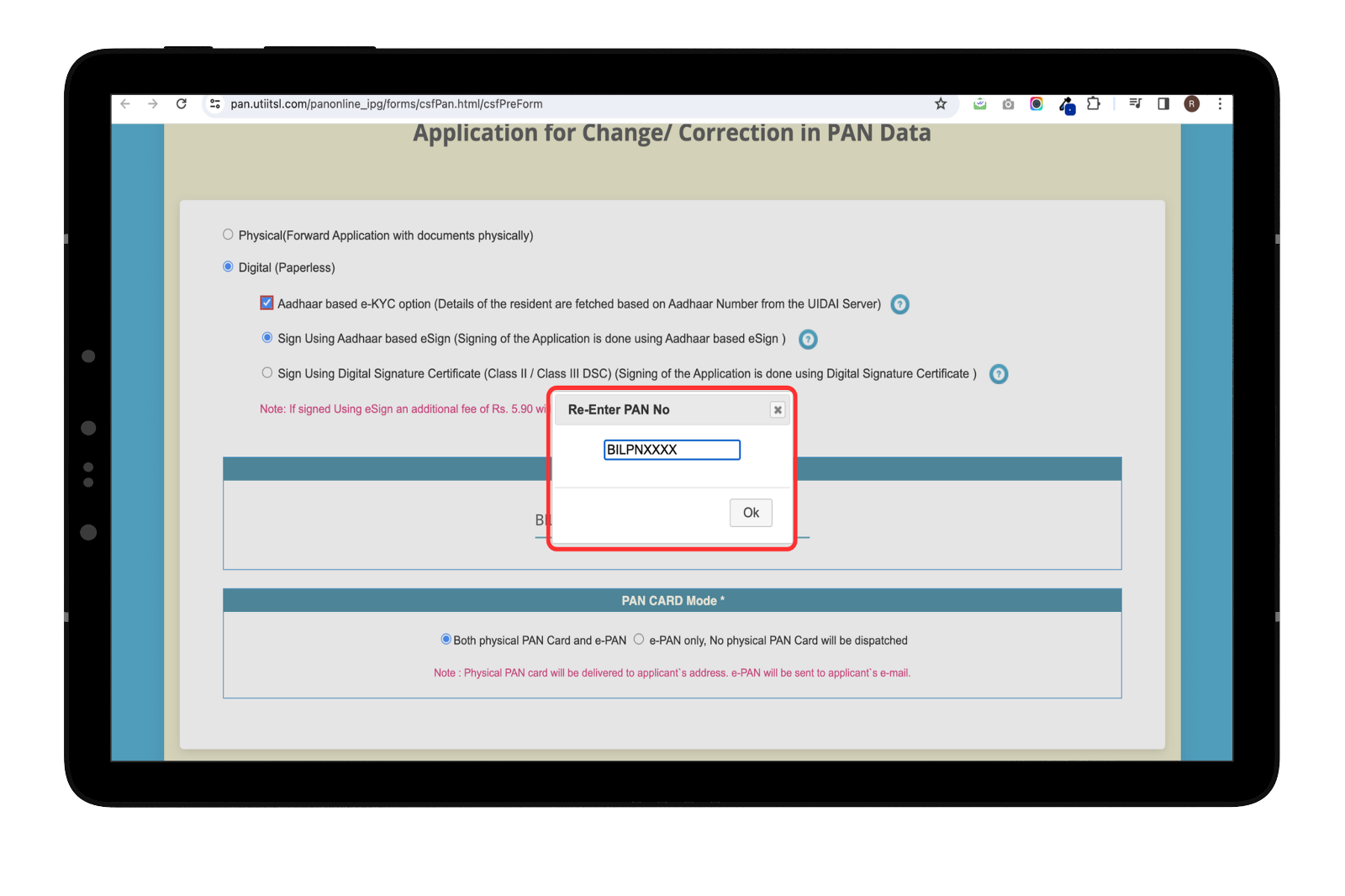
Re-enter your Permanent Account Number
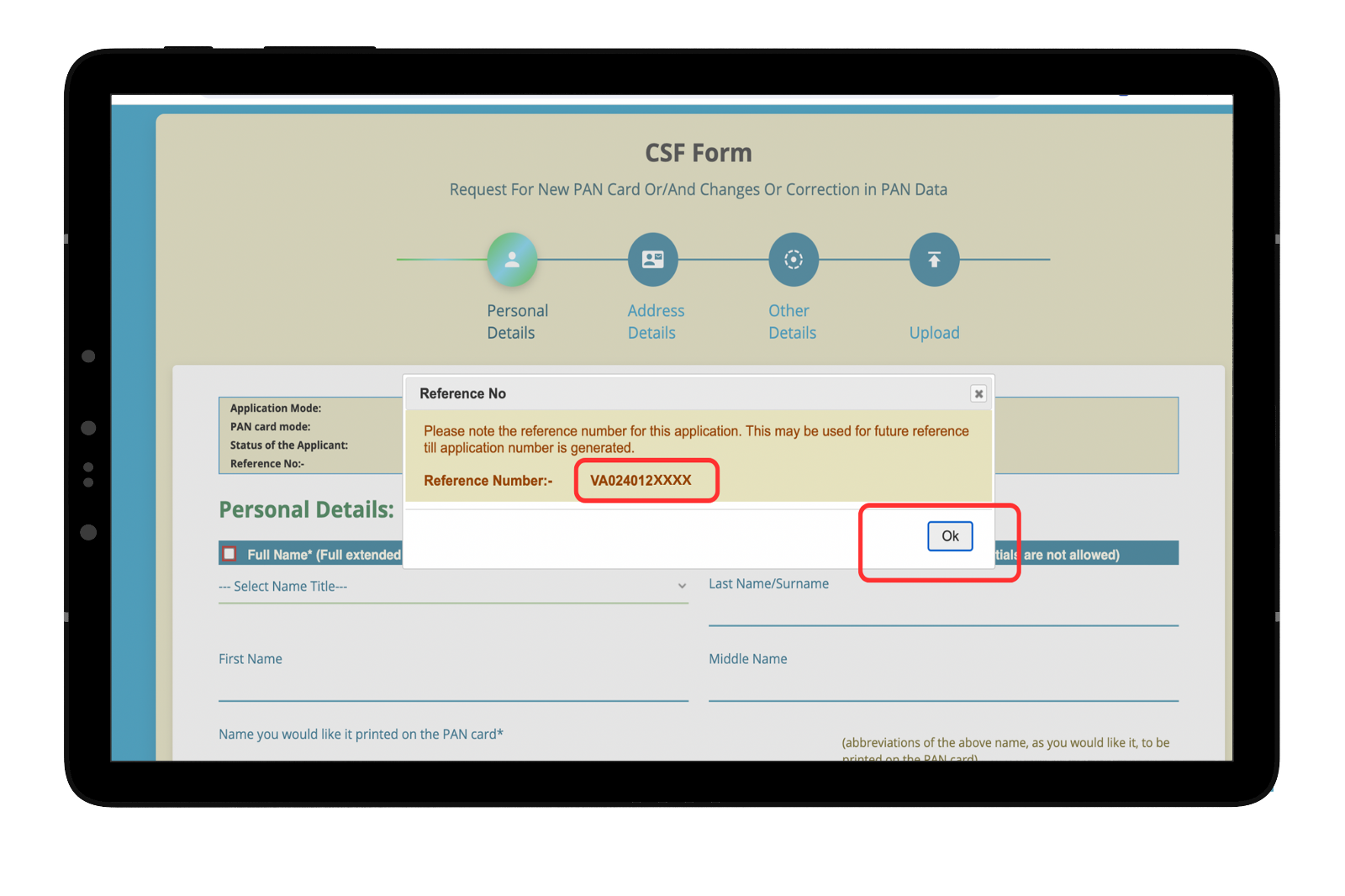
Make a note of the reference number to track your request.


Download the Wealthy Appto enjoy efficient Trading and Investing!


Welcome to Wealthy


OR

Curated Investing

Completely Digitalised

Bank Grade Security

Help Centers

.png)
Download Wealthy Partner App
.png) Apple Store
Apple Store Play Store
4.6 Rating•100k + Downloads
Latest Blogs
SBI Funds Management IPO: Price Band, Lot Size, Timeline and FinancialsKusumgar IPO: Issue Details, Timeline, Business and FinancialsAdvit Jewels IPO: Price Band, Lot Size, Timeline, and DetailsTurtlemint Fintech Solutions IPO: Price Band, Lot Size, Timeline, and DetailsClay Craft India IPO: Price Band, Lot Size, Timeline, and Key Details


